Window Management
Target windows and keep macros running reliably.
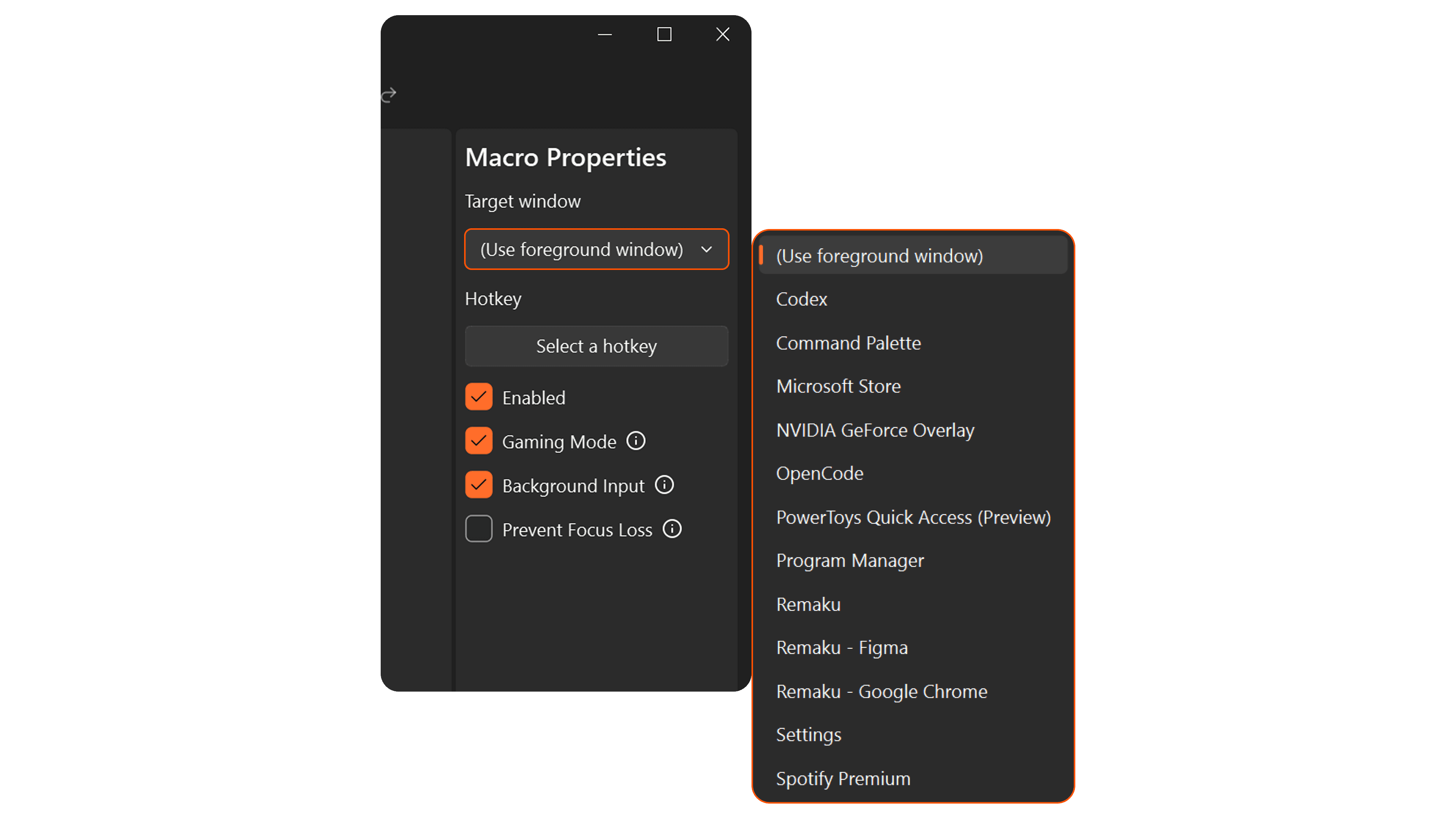
Remaku intelligently manages target windows so your macros run smoothly without getting in your way.
Finding Windows
- Title matching — Find the target window by its title, with partial matching so you don't need the exact name.
- Dropdown picker — Choose from a list of currently visible windows, or select "(Use foreground window)" to target whatever window is active when the macro starts.
- Client area only — Capture and interact with just the content area of the window, excluding borders and title bar.
Background Operation
- Background input — Send keystrokes and mouse clicks directly to the target window without stealing focus, so you can keep using your computer while the macro runs.
- Foreground fallback — Switch to normal foreground input for apps that ignore background messages.
- Prevent focus loss — Send periodic focus signals to the target window so games and apps won't pause when you click away.
Reliability
- Auto re-find — If the target window closes and reopens during macro execution, Remaku automatically locates it again.
- Waiting states — Remaku waits patiently if the target window isn't open yet, and resumes as soon as it appears.
- Elevation warning — Alerts you when the target window runs as administrator but Remaku does not, since input won't reach it.
- Multi-display aware — Region selector and overlays appear on the correct monitor based on where the target window is.